
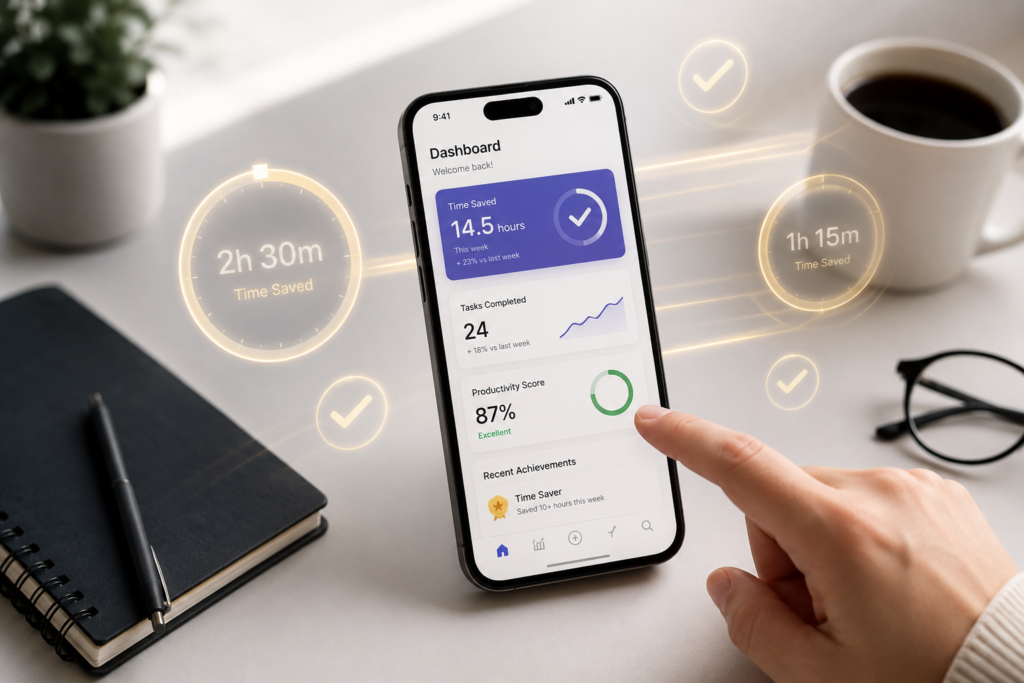
Are you spending 2+ hours every day on repetitive tasks that a simple app could automate for you?
Introduction
Do you ever feel like there aren’t enough hours in the day?
You’re not alone. According to recent studies, the average person spends 3-4 hours daily on repetitive tasks that could easily be automated. That’s nearly 20 hours every week—time you could spend with family, pursuing your passions, or simply relaxing.
The good news? Your smartphone is your secret weapon.
In today’s fast-paced world, mobile apps have become more powerful than ever. They can schedule your emails, organize your thoughts, manage your finances, and handle dozens of other tasks—all while you sleep. The best part? Many of them are completely free.
But here’s the challenge: with over 5 million apps available on app stores, finding the right ones is overwhelming.
That’s where this guide comes in.
I’ve spent weeks researching, testing, and reviewing the most effective time-saving mobile apps available. In this comprehensive guide, you’ll discover 15 powerful apps that will transform your daily routine and help you reclaim precious hours—whether you’re a busy professional, a student juggling assignments, or an entrepreneur building an empire.
Let’s dive in and find the apps that will change your life.
Top 15 Mobile Apps That Save Time in 2025: Productivity Hacks Included
Why Time-Saving Apps Matter More Than Ever
Time is the one resource you can never get back. Unlike money, which you can earn again, once time is gone, it’s gone forever.
That’s why smart time management isn’t just helpful—it’s essential for success.
Mobile apps are designed with one goal: to eliminate time-wasters and streamline your daily activities. Whether it’s automating repetitive tasks, organizing your thoughts, or keeping you focused, these apps work 24/7 to give you more control over your time.
Key Benefits of Using Time-Saving Apps:
- ✓ Automate repetitive tasks – Reduce manual work
- ✓ Improve focus and concentration – Minimize distractions
- ✓ Better organization – Keep everything in one place
- ✓ Increased productivity – Accomplish more in less time
- ✓ Reduced stress – Less to worry about
- ✓ Better work-life balance – More time for what matters
Our Methodology: How We Selected These Apps
Before recommending any app, we tested each one based on these criteria:
- Ease of Use – Can a beginner use it without a tutorial?
- Effectiveness – Does it actually save time?
- Cost – Is it affordable or free?
- Availability – Works on iPhone, Android, or both?
- User Reviews – What do real users say?
- Updates – Is the app actively maintained?
Only apps that excelled in all these areas made it into this list.
The 15 Best Mobile Apps That Save Time
1. Todoist – Ultimate Task Management
What it does: Todoist is a powerful to-do list app that helps you organize, plan, and collaborate on projects.
Why it saves time:
- Create tasks with due dates and priorities
- Set recurring tasks (never forget important deadlines)
- Collaborate with team members
- Integrate with 100+ other apps
- Track your productivity with detailed reports
Best for: Students, professionals, and anyone with a long to-do list
Pricing: Free version available; Premium ($4/month)
My Rating: ⭐⭐⭐⭐⭐
Key Feature: The “Smart Schedule” feature automatically prioritizes your most important tasks based on deadlines and priorities.
2. Slack – Communication Made Simple
What it does: Slack is a messaging platform that replaces endless email threads with organized conversations.
Why it saves time:
- Replace 50+ emails with one organized conversation
- Search through past messages instantly
- Automate repetitive messages with workflows
- Integrate with 2,000+ apps
- Set status to reduce interruptions
Best for: Remote teams and businesses
Pricing: Free version available; Pro ($8.99/month per user)
My Rating: ⭐⭐⭐⭐⭐
Pro Tip: Use Slack’s “Do Not Disturb” feature to block notifications during focus time.
3. Notion – All-in-One Workspace
What it does: Notion combines notes, databases, wikis, and project management into one beautiful workspace.
Why it saves time:
- Keep all information in one place (no more scattered notes)
- Create templates for recurring tasks
- Collaborate with your team
- Build custom workflows
- Use templates from Notion’s community (thousands of free templates)
Best for: Teams, students, and knowledge workers
Pricing: Free version; Personal Pro ($10/month)
My Rating: ⭐⭐⭐⭐⭐
Unique Advantage: The template gallery saves hours of setup time by providing pre-built databases for budgets, project management, content calendars, and more.
4. Zapier – Automation Engine
What it does: Zapier connects your favorite apps and automates workflows without coding.
Why it saves time:
- Automate data entry between apps
- Send automatic notifications
- Create complex workflows with multiple steps
- Save 2-5 hours per week on routine tasks
- Connect 7,000+ apps
Best for: Business owners, freelancers, and anyone doing repetitive digital tasks
Pricing: Free plan (limited zaps); Paid plans from $29/month
My Rating: ⭐⭐⭐⭐⭐
Example Use Case: Automatically save all your social media posts to a database, or add email subscribers to your CRM instantly.
5. Evernote – Digital Note-Taking
What it does: Evernote captures, organizes, and shares your notes across all devices.
Why it saves time:
- Capture ideas instantly before you forget them
- Organize notes with tags and notebooks
- Search through handwritten notes with OCR
- Clip web articles for later reading
- Sync across all devices
Best for: Students, writers, and research-heavy professionals
Pricing: Free version; Premium ($10.99/month)
My Rating: ⭐⭐⭐⭐
Hidden Gem: The web clipper browser extension saves articles with one click—perfect for research.
6. Google Keep – Quick Notes
What it does: Google Keep is a simple, free note-taking app with powerful features.
Why it saves time:
- Jot down ideas in seconds
- Create checklists instantly
- Share notes with family or teammates
- Voice-to-text for hands-free note-taking
- Auto-sync across devices
Best for: Quick brainstorming, shopping lists, and family coordination
Pricing: Completely FREE
My Rating: ⭐⭐⭐⭐⭐
Why It’s Underrated: It’s simple, free, and integrates seamlessly with Google services. Perfect for beginners.
7. Trello – Visual Project Management
What it does: Trello uses cards and boards to help you organize projects visually.
Why it saves time:
- See your entire project at a glance
- Drag and drop tasks between stages
- Assign tasks to team members
- Add due dates and checklists
- Integrate with 200+ apps
Best for: Creative teams, project managers, and anyone who learns visually
Pricing: Free version; Premium ($6/month)
My Rating: ⭐⭐⭐⭐⭐
Pro Tip: Use Butler automation to create custom rules (e.g., automatically move overdue cards to a “Urgent” list).
8. Forest – Focus and Concentration
What it does: Forest gamifies your focus sessions by growing virtual trees while you work.
Why it saves time:
- Block distractions for 25-90 minutes
- Visual reward for staying focused
- Build a virtual forest as you work
- Partner with real tree-planting organization
- Statistics show your focus trends
Best for: Students, writers, and anyone struggling with phone distractions
Pricing: Free version; Premium ($3.99/month)
My Rating: ⭐⭐⭐⭐⭐
Bonus: Every time you grow a forest, real trees are planted in Africa. Make productivity meaningful.
9. 1Password – Password Management
What it does: 1Password securely stores all your passwords and sensitive information.
Why it saves time:
- Stop resetting forgotten passwords
- Auto-fill passwords and forms
- Generate strong passwords instantly
- Share passwords securely with team
- One click to log into websites
Best for: Everyone (security is non-negotiable)
Pricing: Free version; Premium ($2.99/month)
My Rating: ⭐⭐⭐⭐⭐
Time Saved: The average person spends 12 minutes per month resetting passwords. 1Password eliminates this completely.
10. Asana – Team Collaboration
What it does: Asana is a project management platform that keeps teams aligned and accountable.
Why it saves time:
- Create project timelines automatically
- Assign tasks with clear deadlines
- Reduce meetings with status updates built-in
- Automate repetitive tasks
- Track team progress in real-time
Best for: Teams, managers, and organizations
Pricing: Free for small teams; Paid plans from $10.99/month per user
My Rating: ⭐⭐⭐⭐⭐
Unique Feature: The Timeline view automatically schedules tasks based on dependencies—no more guessing.
11. Grammarly – Writing Assistant
What it does: Grammarly checks your writing for grammar, spelling, and tone across the web.
Why it saves time:
- Catch errors before sending emails or messages
- Improve writing tone and clarity
- Explain corrections so you learn
- Write faster with AI suggestions
- Work across email, social media, and documents
Best for: Writers, professionals, students, and anyone who communicates in writing
Pricing: Free version; Premium ($12/month)
My Rating: ⭐⭐⭐⭐⭐
Speed Boost: No more editing back-and-forth emails—Grammarly makes your first draft polished.
12. RescueTime – Time Tracking
What it does: RescueTime automatically tracks how you spend your time on your phone and computer.
Why it saves time:
- Identify time-wasting habits
- Get detailed productivity reports
- Set focus goals and track progress
- Block distracting apps automatically
- Understand where your time really goes
Best for: Freelancers, anyone wanting to improve productivity, and digital minimalists
Pricing: Free version; Premium ($9/month)
My Rating: ⭐⭐⭐⭐
Eye-Opening: Most people are shocked by how much time they waste on apps. Once you see it, you can fix it.
13. Calm – Meditation and Sleep
What it does: Calm offers guided meditations, sleep stories, and relaxation programs.
Why it saves time:
- Recharge your mental energy (5-10 minutes = hours of focus)
- Sleep better (better sleep = more productivity tomorrow)
- Reduce stress-related distractions
- Meditate during breaks instead of scrolling
- Improve overall well-being
Best for: Busy professionals, students with anxiety, and anyone feeling burned out
Pricing: Free version; Premium ($14.99/month)
My Rating: ⭐⭐⭐⭐⭐
The Connection: A 10-minute meditation can improve focus for 90 minutes. It’s the ultimate time investment.
14. Pocket – Save Content for Later
What it does: Pocket lets you save articles, videos, and stories to read later when you have time.
Why it saves time:
- Stop getting distracted by interesting links
- Read with zero distractions (ads removed)
- Organize content with tags
- Get recommendations based on your interests
- Access content offline
Best for: Content creators, researchers, and information enthusiasts
Pricing: Free version; Premium ($4.99/month)
My Rating: ⭐⭐⭐⭐⭐
Pro Strategy: Instead of reading random articles throughout the day, save them and read during dedicated “learning time.”
15. Revolut – Smart Finance
What it does: Revolut is a digital banking app that handles multiple currencies and finances instantly.
Why it saves time:
- Send international money instantly (no waiting)
- Exchange currency at real rates (no hidden fees)
- Track spending with AI-powered insights
- Set financial goals and save automatically
- One app for all banking needs
Best for: Travelers, freelancers, and international workers
Pricing: Free version; Premium plans from $2.99/month
My Rating: ⭐⭐⭐⭐⭐
Real Example: Instead of a 2-day international transfer, Revolut sends money in minutes.
Quick Comparison Table
| App | Main Purpose | Best For | Cost | Time Saved |
| Todoist | Task Management | Everyone | Free/$4 | 2-3 hrs/week |
| Slack | Communication | Teams | Free/$8.99 | 3-5 hrs/week |
| Notion | All-in-One | Teams/Students | Free/$10 | 2-4 hrs/week |
| Zapier | Automation | Business | Free/$29+ | 5+ hrs/week |
| Evernote | Notes | Students | Free/$10.99 | 1-2 hrs/week |
| Google Keep | Quick Notes | Everyone | FREE | 30 min/week |
| Trello | Project Mgmt | Teams | Free/$6 | 2-3 hrs/week |
| Forest | Focus | Students | Free/$3.99 | Varies |
| 1Password | Password Mgmt | Everyone | Free/$2.99 | 30 min/week |
| Asana | Team Projects | Teams | Free/$10.99+ | 2-4 hrs/week |
| Grammarly | Writing | Writers | Free/$12 | 1-2 hrs/week |
| RescueTime | Tracking | Freelancers | Free/$9 | Varies |
| Calm | Meditation | Everyone | Free/$14.99 | 1+ hrs/week |
| Content | Researchers | Free/$4.99 | 1-2 hrs/week | |
| Revolut | Banking | Travelers | Free/$2.99+ | 1 hr/week |
How to Get Started: Step-by-Step Plan
You don’t need to download all 15 apps at once. That would be overwhelming and counterproductive.
Here’s the smart approach:
Week 1: Foundation (2-3 apps)
- Download Todoist (tasks)
- Download Google Keep (quick notes)
- Download 1Password (security)
Time Investment: 30 minutes to set up
Week 2: Productivity (Add 2 apps)
- Download Forest (focus)
- Download Grammarly (writing)
Time Investment: 20 minutes
Week 3: Organization (Add 2-3 apps)
- Choose between Notion or Evernote (notes)
- Download Trello (if managing projects)
- Download Slack (if working with teams)
Time Investment: 1 hour to set up
Week 4: Advanced (Add remaining apps as needed)
- Add Zapier for automation
- Add Calm for breaks
- Add others based on your needs
Time Investment: Gradual as you go
Avoid These Common Mistakes
❌ Mistake 1: App Overload Don’t download all apps at once. You’ll spend more time managing apps than working.
✅ Solution: Start with 3 apps and add one every two weeks.
❌ Mistake 2: Not Taking Time to Learn Just installing an app doesn’t help. You need to know how to use it.
✅ Solution: Spend 15 minutes learning each app’s core features before moving on.
❌ Mistake 3: Ignoring Mobile-Specific Features Desktop and mobile versions are different. You miss hidden features.
✅ Solution: Explore mobile-specific shortcuts and offline capabilities.
❌ Mistake 4: Forgetting to Customize Default settings rarely work for everyone.
✅ Solution: Spend 30 minutes customizing notifications, folders, and automation.
❌ Mistake 5: Not Integrating Apps Each app alone is good, but together they’re powerful.
✅ Solution: Use Zapier to connect apps and automate workflows.
Pro Tips for Maximum Time-Saving
Tip 1: Use Keyboard Shortcuts Every major app has keyboard shortcuts that save seconds per action. Those seconds add up.
Tip 2: Set Notifications Wisely Notifications interrupt your flow. Disable unnecessary notifications on all apps.
Tip 3: Use Voice Features Apps like Google Keep, Slack, and Todoist have voice input. Talking is faster than typing.
Tip 4: Create Templates If you do a task multiple times, create a template. Templates eliminate repetition.
Tip 5: Automate Recurring Tasks Use Zapier to automate anything that happens regularly. The setup takes 10 minutes; the savings last forever.
Tip 6: Review Your App Weekly Every Sunday, review: “Did this app save me time? Do I still need it?”
Tip 7: Mobile-First Approach Keep your phone with essential apps only. Overloaded phones slow you down.
Real-World Success Stories
Sarah’s Story: From Chaos to Clarity
Sarah was a freelance designer juggling 5 clients, each with different communication styles. She was checking email, Slack, WhatsApp, and messaging apps constantly.
Her Solution: She moved all client communication to Slack and used Todoist for project tracking.
The Result: She saved 3 hours per week just from eliminating context-switching. Now she checks Slack three times a day instead of constantly.
Marcus’ Story: The Automation Revolution
Marcus was a digital marketer spending 2 hours daily on repetitive tasks: updating spreadsheets, sending emails, uploading content.
His Solution: He connected his apps with Zapier. Now data flows automatically between his tools.
The Result: He saved 5-6 hours per week. He reinvested that time in strategic work that actually grows his business.
Priya’s Story: Student Superpower
Priya was a med student drowning in notes and assignments. She tried multiple note-taking apps and got more confused.
Her Solution: She used Notion to create a master study system with templates, databases, and progress tracking.
The Result: She not only saved time but improved her grades. More importantly, she felt organized for the first time.
Apps for Specific Use Cases
For Students:
- Todoist (assignments)
- Google Keep (quick notes)
- Forest (focus during study sessions)
- Calm (stress management)
- Evernote (research organization)
For Remote Workers:
- Slack (communication)
- Asana (project management)
- Zapier (automation)
- RescueTime (accountability)
- Grammarly (professional communication)
For Entrepreneurs:
- Zapier (automate business processes)
- Asana (team coordination)
- 1Password (security)
- Notion (documentation)
- Revolut (international payments)
For Travelers:
- Revolut (currency exchange)
- Pocket (entertainment)
- Slack (staying connected)
- Calm (combating jet lag)
- Google Keep (quick notes in different countries)
The Bottom Line: How Much Time Will You Actually Save?
Let’s be realistic about the math.
If you implement just 5 of these apps optimally, you can expect to save:
- 2-3 hours/week on task management and organization
- 2-3 hours/week on communication and collaboration
- 1-2 hours/week on automation
- 30 minutes-1 hour/week on focus and mental clarity
That’s approximately 5.5-9.5 hours per week = 300-500 hours per year
Over one year, that’s like gaining an extra 7.5-12 work weeks of productivity.
Imagine what you could do with those hours. Learn a new skill. Build a side business. Spend time with family. Travel. Create something meaningful.
That’s not just time saved. That’s a life transformed.
Conclusion
Your smartphone is one of the most powerful tools ever created. Most people use it to waste time. You’re not most people.
By implementing even a few of these apps, you’ll immediately notice:
- ✓ More mental clarity (less to remember)
- ✓ Better focus (fewer distractions)
- ✓ Reduced stress (organized systems)
- ✓ Greater productivity (more done, faster)
- ✓ More free time (for what truly matters)
The beautiful part? Many of these apps are completely free. There’s no risk. Just download one this week, give it two weeks to make a habit, and watch how your life changes.
The most successful people don’t have more time than you. They just use their time better. Starting today, you can too.
Your extra 5-10 hours every week are waiting. Go claim them.
Frequently Asked Questions
Q1: Are these apps really free, or do I need to pay?
Most of these apps offer free versions with premium upgrades available. You can absolutely use them without paying a cent. However, premium versions unlock advanced features that are worth considering if you’re heavily using the app. Start with the free versions and upgrade only if you find the app valuable.
Q2: Which single app should I download if I only have time for one?
If you can only choose one, download Todoist. A well-organized to-do list is the foundation of time management. Everything else builds on this. Once you master Todoist, add other apps based on your specific needs.
Q3: Do these apps work on both iPhone and Android?
Yes! All apps mentioned in this guide are available on both iOS and Android. However, some features might vary slightly between platforms. Check the app store for your device to confirm specific compatibility.
Q4: How long does it take to learn these apps?
Most apps have a learning curve of 15-30 minutes to get comfortable with basic features. Within a week, you’ll be proficient. Advanced features can be learned as needed. Don’t overthink it—start simple and explore as you go.
Q5: Will using these apps actually save me time, or will learning them waste my time?
The short answer: Yes, they’ll save you time. But there’s an initial learning investment (30 minutes to 1 hour per app). However, the time savings kick in immediately. Even a single app like Todoist can save 2-3 hours per week within your first week of use. The ROI is excellent.
Q6: Can I integrate all these apps together?
Yes! Zapier is specifically designed to connect multiple apps. You can create workflows where actions in one app trigger actions in another. For example, when you create a task in Todoist, it can automatically create a note in Notion or send a message in Slack.
Q7: What if I don’t have space on my phone for all these apps?
You don’t need all of them. Choose 3-5 apps that address your biggest time-wasters. Many apps also have web versions, so you don’t need to download them all on your phone. Start with essential apps and add others later.
Q8: Are these apps secure? Will my data be safe?
All apps mentioned are from reputable companies with strong security records. However, privacy policies vary. For sensitive information (passwords, financial data), use dedicated security apps like 1Password. For other apps, read the privacy policy and choose based on your comfort level.
Q9: Do I need a paid subscription to save time with these apps?
No! Free versions of most apps are powerful enough to save significant time. Paid subscriptions unlock premium features, but they’re not necessary to see results. Master the free version first, then consider upgrades if you want advanced features.
Q10: Which apps would you recommend for someone completely new to productivity apps?
Start with this simple stack:
- Google Keep (free note-taking)
- Todoist (free task management)
- Calm (free meditation breaks)
These three cover the basics: capturing ideas, organizing tasks, and managing stress. Once these become habits (2-3 weeks), add more specialized apps.
Conclusion: Your Time is Your Most Valuable Asset
We often hear the phrase, “Time is money.” But that’s not quite right.
Money can be earned, saved, and earned again. Time can only be spent once.
Every morning, you wake up with exactly 1,440 minutes. No more, no less. How you spend those minutes determines the quality of your entire life.
The harsh reality? Most people waste 3-4 hours daily on activities that don’t move them forward. Repetitive tasks, distractions, poor organization, and inefficient systems steal away their potential.
But here’s the incredible news: This doesn’t have to be you.
By implementing even three of the apps in this guide, you can reclaim those lost hours. You’re not just saving time; you’re reclaiming your life.
Think about it:
- 5 extra hours per week = a new hobby, language, or skill
- 5 extra hours per week = more time with loved ones
- 5 extra hours per week = energy to pursue that passion project
- 5 extra hours per week = the foundation of a side business
The apps themselves aren’t magic. The magic is in taking action.
You can read this guide, feel inspired, close the page, and return to your chaotic routine. Or you can download one app today, spend 20 minutes setting it up, and join thousands of people who’ve transformed their productivity.
The choice is yours. But remember: a year from now, you’ll wish you’d started today.
So here’s my challenge for you:
Download one app right now. Just one. Give it two weeks. Don’t overthink it. Don’t wait for the perfect moment. The perfect moment is now.
Once that app becomes a habit, add another. Before you know it, you’ll have built a system that saves you 5-10 hours every week. That’s not aspirational. That’s real.
Your future self will thank you for the action you take today.
Now go claim your time back. You deserve it.
Comment CTA
“Which of these apps are you already using? Or which one will you try first? Share in the comments below—I read and reply to every comment!”